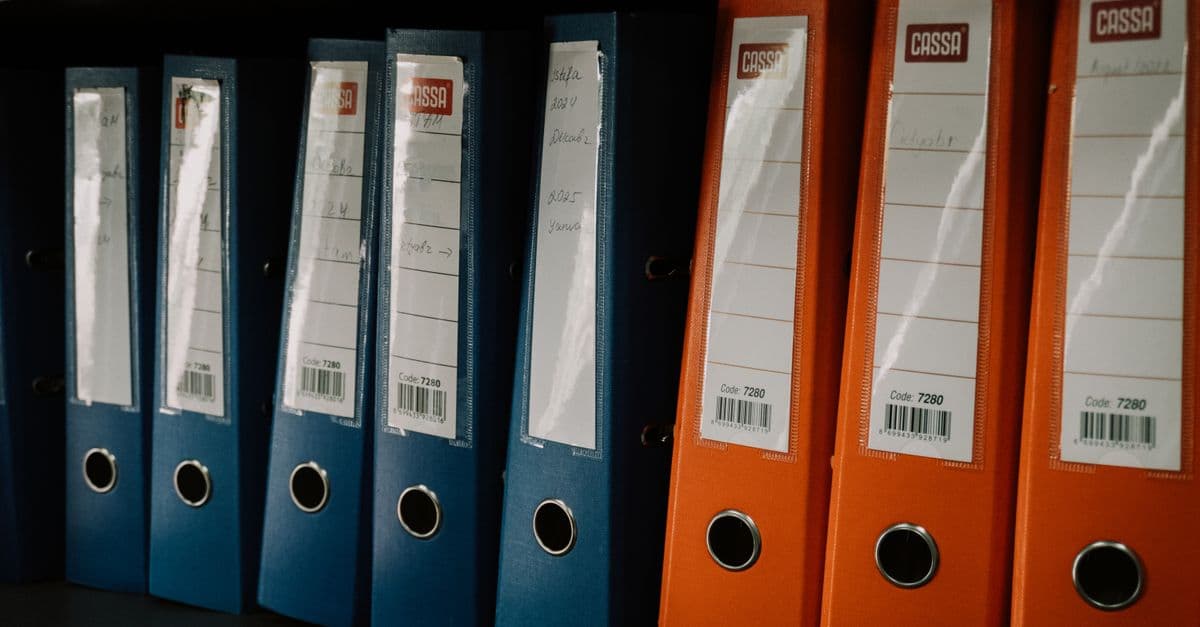
Misplaced contracts, invoices you can't find, five versions of the same file with no idea which one is authoritative: manual document management is expensive in both time and errors. Automating it lets a small business find any document in seconds, make its processes more reliable and rest easy on compliance. Here is the complete method, step by step, with no jargon and no over-engineering.
Document management (or DMS, document management system) covers everything related to creating, filing, sharing, signing and archiving your files. In most small organizations, these tasks stay manual: people rename PDFs by hand, drop them into Windows folders, and dig through the bottom of a mailbox to find an attachment. Automation means handing these repetitive actions over to tools, so that your documents file themselves, name themselves and move around on their own.
Why automate your document management
The first benefit is time: searching for a document takes several minutes per search, several times a day, for every team member. Added up, that amounts to a significant chunk of the workday lost to digging around instead of getting work done. The second benefit is reliability: automatic naming avoids duplicates and typos. The third is security: centralized archiving, controlled access rights and full traceability of changes.
- Find a contract or an invoice by typing two keywords instead of digging through folders.
- Never rename a file by hand again thanks to naming rules.
- Reduce data-entry errors and duplicate versions that sow doubt.
- Meet your legal retention obligations (invoices, payslips, contracts).
- Lay the groundwork for electronic invoicing, which is progressively becoming the norm for businesses.
This project doesn't stand alone: it fits into a broader effort of digital transformation for your small business. Document management is often the best entry point, because the benefits show up quickly and are visible to everyone.
A DMS isn't the same as heavy software
A small business doesn't need a full ERP to get started. A well-organized cloud storage space, paired with a few targeted automations, already covers the vast majority of needs. You only add complexity when volume demands it.
The documents to automate first
Not everything carries the same value. Focus first on frequent, standardized documents, the ones that always follow the same path. These are the best candidates for automation, because their handling is predictable: same sender, same format, same destination.
| Document type | Action to automate | Expected benefit |
|---|---|---|
| Supplier invoices | Extract the amount and date, file by supplier | Up-to-date accounting, less data entry |
| Quotes and contracts | Generate from a template, send for signature | Faster sales cycle |
| Payslips | Automatic delivery to each employee's space | Secure distribution |
| Supporting documents | Naming and filing by date and category | Instant search |
| Incoming mail | Scanning and keyword indexing | Zero lost paper |
A good instinct: start with the document that causes the most friction day to day. If your payment reminders stall because invoices are poorly filed, that's where to strike first. If your sales reps lose deals for lack of quick quotes, prioritize automating the generation of quotes and invoices.
The step-by-step method to set up an automated flow
There's no need to overhaul everything at once. A successful automation is built in small steps, starting from the flow that wastes the most of your time. Here is the logical order to follow.
- 1Map your flows: list who produces which document, where it's stored, who needs access to it and how long it must be kept.
- 2Define a clear folder structure and naming convention, for example YYYY-MM-DD_client_document-type, so that sorting becomes obvious.
- 3Centralize storage in a single shared space rather than on individual machines or USB drives.
- 4Digitize incoming items: scan or photograph paper documents as soon as they arrive, before they pile up.
- 5Add the automations: rule-based filing, data extraction, alerts and electronic signatures.
- 6Test on a pilot flow, measure the time saved, fine-tune, then extend to the other document types.
The first step deserves real care: a poorly mapped flow results in automation that files documents in the wrong place. Take the time to observe how information actually circulates, and not just how it's supposed to. To set healthy foundations on the filing side, our article on how to organize your files so you can find anything offers a simple framework to reuse.
Start with naming
A consistent naming convention is the foundation of any automation. Without it, no automatic filing and no search can be truly reliable. It's the most profitable and quickest project to launch: a few written rules, applied by everyone, and the rest follows.
The tools to automate your documents
The ecosystem is made up of several building blocks that combine together. You don't need to adopt them all at once: each one can be added when the need arises.
Storage and filing
A cloud space (Google Drive, SharePoint, Nextcloud) acts as the central vault. Paired with automatic filing rules, it puts each file in the right place based on its name or its content. For more advanced needs, a dedicated DMS such as Paperless-ngx or Zeendoc indexes and makes every document searchable by keyword, including inside the text of a scanned PDF.
Data extraction and AI
Optical character recognition (OCR) turns a scan into usable text. Combined with artificial intelligence, it reads an invoice, extracts the amount, the date and the supplier, then feeds your accounting without any re-keying. This is where automation really moves to a new level: the document handles itself. To dig deeper into this aspect, see how to automate data extraction with AI and OCR.
Test OCR on your own documents
Before scaling up a flow, check the recognition quality on a scan or a photo of an invoice. Our OCR tool extracts the text online, for free, to give you a concrete idea of what automation will be able to work with.
Orchestration and signature
Workflow automation platforms (n8n, Make, Zapier) connect your tools to one another: when an invoice arrives by email, it is archived, renamed and forwarded to the accountant automatically. If you're unsure which platform to pick, our comparison of Make vs Zapier helps you decide. To approve a contract, electronic signature (Yousign, DocuSign) removes the paper back-and-forth while guaranteeing legal validity.
The best document system is the one you stop noticing: documents come in, file themselves and turn up again without you giving it a thought.
A concrete end-to-end example
Take a small construction company that receives around thirty supplier invoices a week. Before automation, an assistant prints them, keys them into a spreadsheet, then files them in a binder. The process takes several hours each week and generates oversights: an invoice that slips through the cracks, an amount copied down wrong, a discount lost for missing a payment deadline.
- 1The invoice arrives in a dedicated mailbox or is dropped into a monitored folder.
- 2OCR and AI extract the supplier, the total amount, the date and the document number.
- 3The file is renamed automatically and filed in the relevant supplier's folder.
- 4The data is sent to the accounting tool and a shared tracking sheet.
- 5An alert notifies the owner if an invoice exceeds a certain amount or is nearing its due date.
The result: manual data entry disappears, every invoice is retrievable with a single search, and deadlines are no longer missed. The assistant reallocates the time saved to higher-value tasks. The same principle applies to quotes, contracts or HR documents: you identify the trigger, you extract, you file, you notify.
Common mistakes to avoid
Many projects go off the rails not because of the technology, but because of sloppy scoping. Here are the most common pitfalls seen in small businesses.
- Trying to automate everything at once: you spread yourself thin and nothing gets finished. One pilot flow that works beats ten projects left hanging.
- Automating the mess: hooking rules onto an inconsistent folder structure only speeds up the chaos. Tidy up first, automate second.
- Neglecting human oversight: an OCR extraction can get an amount wrong. Plan for a quick review, especially at the start.
- Forgetting backups: centralizing without backing up means putting all your eggs in one basket. Consider automating the backup of your important files.
- Skipping documentation: if only one person understands how the flow works, the business is fragile the day they're away.
Don't forget compliance
Automating doesn't exempt you from following the rules: legal retention periods, personal data protection (GDPR) and the evidential value of archiving. Plan for appropriate access rights, backups and a clear policy on who sees what.
How to choose your solution: the right criteria
Between a simple automated cloud folder and a full DMS, the right choice depends on your volume, your regulatory constraints and your budget. A few questions make things clear quickly.
- Volume: a few dozen documents a month don't justify the same tool as several thousand.
- Full-text search: do you need to find a word inside a PDF, or is the file name enough?
- Integrations: does the solution connect to your accounting, your CRM, your email?
- Data sovereignty: do you prefer hosting in your own country or a self-hosted solution for sensitive documents?
- Total cost: beyond the subscription, factor in the time for setup and training.
The right metric: time to retrieve
An effective document system is measured simply: how many seconds does it take to find a random document? If the answer is over a minute, there's an immediate gain to go after, whatever tool you choose.
For documents that require approval, electronic signature often closes the loop. If your volumes are modest, you can already sign a PDF electronically for free before investing in a dedicated solution.
Frequently asked questions
How can you automate document filing without complex software?
Start with a strict naming convention and a single cloud space. Then add simple rules that move files based on their name or type. A no-code tool like Make or n8n is enough to connect your mailbox to your folders, with no heavy development.
How much time do you save by automating document management?
The gain depends on your volume, but it mainly comes from search and data entry, which account for a large share of administrative time. By eliminating invoice re-keying and manual searches, a small organization easily frees up several hours a week to reallocate to useful tasks.
Why start with file naming?
Because naming is the foundation for everything else. Automatic filing, reliable search and data extraction all rely on consistent, predictable names. Without a clear convention, automations file things in the wrong folder and search stays tedious.
Which tool should you choose to extract data from an invoice?
An OCR engine paired with an AI layer reads the document and extracts the key fields (amount, date, supplier). You can test recognition with an online OCR, then scale up through an automation platform connected to your accounting. Always plan for human review at the start.
Does automated archiving have legal value?
Yes, provided you meet the requirements for integrity, traceability and retention period. Archiving with evidential value guarantees that a document hasn't been altered. Make sure your solution timestamps files, logs access and keeps documents for the legal duration required for each document type.
In summary
Automating document management isn't a heavy IT project, but a series of small, profitable automations: a naming convention, a centralized space, invoice extraction, electronic signature, reliable backups. Each block pays for itself in time saved and errors avoided, and prepares your business for the digitization that is becoming the norm. Start small, measure, then extend to the next flow. If you want to map your flows and lay the right foundations without picking the wrong tool, the TC Automation team can support you from audit to rollout: let's talk about your project and identify together the first document to set free.


