Remote work promises comfort and focus, but without structure it quickly slides into endless days and a diffuse fatigue. Here is a simple, step-by-step method to stay productive and protect your energy over the long run, with concrete examples designed for small and mid-sized businesses.
Working from home removes commutes and office interruptions, but it creates a quiet trap: the blurred line between work and personal life. When your office is in the living room, the day no longer has a clear start or end. The result is familiar: you answer messages at night, skip lunch, and exhaustion sets in without you noticing. The good news is that this risk is solved with organization, not with willpower.
This article is aimed just as much at the small-business owner who splits time between the office and home as at the employee working remotely two or three days a week. The logic is the same: build an environment that protects your attention by default, so you don't have to fight yourself every afternoon. We'll look at how to set boundaries, structure your days, protect your body, avoid the classic mistakes and lean on the right tools.
Set clear boundaries before hunting for tips
The first mistake is trying to pile up productivity techniques without setting a schedule framework. Sustainable remote work rests first on simple, visible rules, for you as well as for the people around you and your colleagues. An isolated trick never holds up if the overall structure of the day stays blurry.
- 1Set a fixed start time and end time, and make them visible (messaging status, shared calendar).
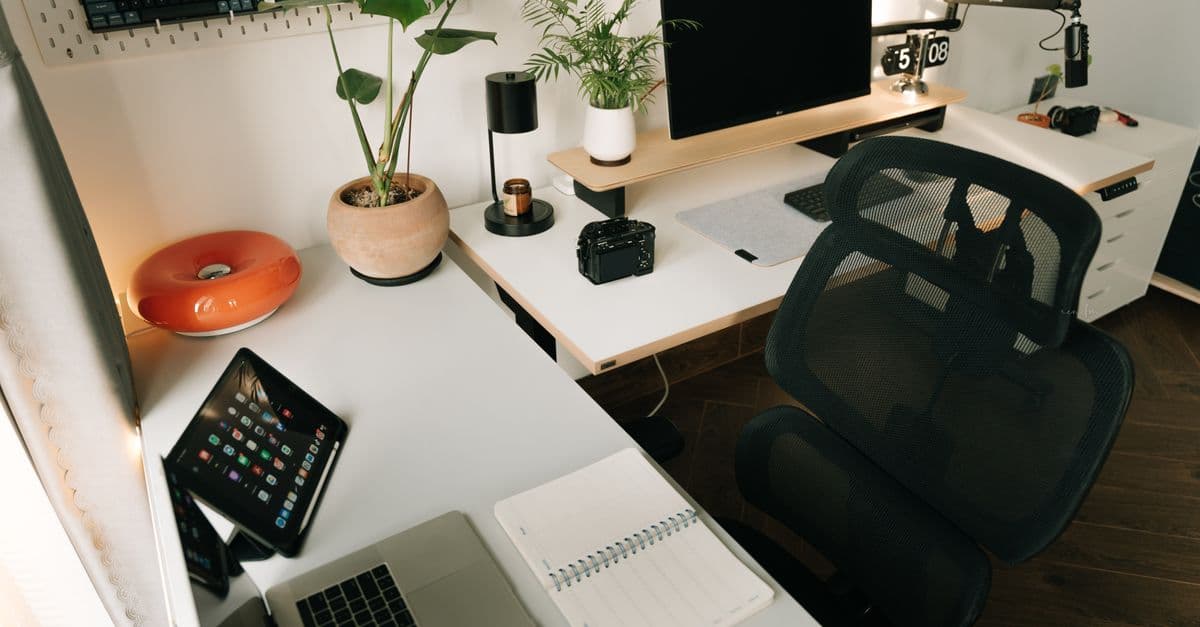
- 2Create a dedicated workspace, even a small one, that you physically leave at the end of the day.
- 3Establish an opening and closing ritual: a cup of coffee to start, closing the laptop to wrap up.
- 4Communicate your availability windows to your team to avoid constant interruptions.
A concrete example of a framework that holds
Take the case of the owner of a four-person accounting firm who works remotely on Tuesdays and Thursdays. At first, she was stringing together ten-hour days because nothing signaled the end. By setting one simple rule, she took back control: computer on at 9 a.m., messaging status set to "available until 6 p.m.," and shutting the workstation down at a fixed time, even if it meant jotting down leftover tasks for the next day. Within a few weeks, her evenings freed up without any drop in output. The framework didn't make her work rigid, it made it sustainable.
The transition ritual
Without a home-to-office commute, your brain no longer has a signal to switch modes. Replace it with a symbolic gesture: a short walk around the block morning and evening is enough to separate the two worlds. To go further on this topic, the idea of managing your energy rather than your time clearly shows why these transitions matter as much as the number of hours worked.
Structure the day in blocks, not in hours
An effective remote workday is steered by focus blocks rather than by reacting to notifications. The idea is to reserve protected slots for tasks that require thinking, and to group light tasks elsewhere. This approach, close to time-boxing, replaces an overflowing to-do list with a realistic schedule where every task has its place.
| Time of day | Type of task | Rule |
|---|---|---|
| Morning (2-3 h) | Deep work, complex files | Notifications off, one task only |
| Midday | Meetings, calls | Grouped into a single slot |
| Afternoon | Emails, administrative tasks | Batch processing, not continuous |
| End of day | Preparing for tomorrow | List 3 priorities and shut down |
This breakdown isn't one more constraint: it's a way to protect your morning, often the time when focus is at its peak. By scheduling the tasks that demand thinking before your inbox fills up, you make progress on what matters before the day gets away from you. Meetings and emails, for their part, fit into dedicated slots instead of fragmenting every hour.
To hold these blocks, timed work is remarkably effective: you work in sequences of 25 to 50 minutes, followed by a genuine short break. The timer creates a time constraint that helps you start and keeps you from getting bogged down. That's the principle behind the Pomodoro technique, simple to try today and easy to adapt to your own rhythm.
Set the pace for your work sessions
Use an online timer to time your focus blocks and your breaks. It's the simplest way to apply the Pomodoro technique without installing anything.
How many blocks per day?
There's no need to aim for a whole day at maximum focus: it isn't sustainable. Two to four deep blocks per day, spaced out with real breaks, are more than enough to handle what matters. The rest of the day can host conversations, meetings and admin, which demand less mental energy.
Protect your breaks and your body
In remote work, breaks are the first thing to disappear because no one sees you get up. Yet they are exactly what recharges your attention. A break isn't wasted time: it's what makes your work blocks genuinely productive. Without them, quality drops without the time spent going down, which is the worst of both worlds.
- Take a real lunch break away from the screen, ideally in another room.
- Every hour, stand up for a minute or two to move and rest your eyes.
- Get outside in natural light at least once a day, even for ten minutes.
- Drink regularly: mild dehydration tires you and clouds your focus.
Ergonomics matter just as much. A screen at eye level, a proper keyboard and a decent chair prevent the back and neck pain that drains your energy by the end of the week. Investing in these basics costs little and pays off in daily comfort. Many remote workers underestimate the impact of a poorly set-up workstation: a few adjustments are often enough to make a discomfort that has lingered for months disappear.
A protected break isn't an interruption of work, it's a part of the work.
The mistakes that lead to burnout
Most cases of remote-work burnout come from a handful of avoidable habits. Spotting them is already half the fix. The difficulty is that they set in gradually and pass for proof of dedication for a long time, before turning against the person who adopts them.
- Staying connected at all times: an inbox open all day fragments your attention and stretches out tasks.
- Overcompensating with digital presenteeism: answering everything fast to prove you're working exhausts you without improving results.
- Piling up meetings: without the downtime of the office, a calendar packed with video calls leaves no time to produce.
- Never switching off: checking your email in the evening and on weekends prevents recovery and paves the way to burnout.
Behind these habits often hides a deeper problem: a mental load that never comes down. When work stays present in your mind outside working hours, recovery becomes impossible. Learning to reduce mental load at work is a direct complement to everything above, because a schedule framework is useless if your head keeps spinning idle in the evening.
The warning sign to watch for
If you feel tired first thing in the morning, if the smallest task feels heavy, or if you work more but get less done, these are signs of burnout. Don't wait: reduce the load and restore clean cutoffs. Ignored too long, these signals end up costing far more than a few adjustments made in time.
Lean on the right tools and automation
Part of the fatigue in remote work comes from repetitive tasks and from scattering yourself across too many apps. This is where tools and automation change the game: they give you back the brain time you spend on operations that add no value. Every manual copy-paste, every follow-up forgotten then rushed at the last minute, every document rebuilt from scratch nibbles away at energy you then lack for what matters.
In practice: client follow-ups sent automatically, documents generated from templates, data copied between programs with no manual input, incoming requests sorted automatically. At TC Automation, we help small and mid-sized businesses identify these time-consuming steps and automate them, so the time saved goes to the work that really counts. A good starting point is to spot the administrative tasks in a small business that come back every week and weigh on you without being noticed.
You don't get less tired by working faster, but by removing the work that serves no purpose.
A mini-audit to spot your automations
Before automating, list over a week the tasks you repeat identically. Those are your best candidates. A small audit is often enough to spot two or three automations that lighten your days right away.
- 1For five days, note every recurring task and the time it takes you, even roughly.
- 2Identify the ones that come back every day or every week without ever changing.
- 3Rank them by two criteria: the time they cost and the boredom they generate.
- 4Start by automating just one of them, the simplest, to validate the approach.
The right order of priorities
Always start with the framework and the breaks, which cost nothing to put in place, before turning to automation. Tools amplify healthy organization, but they don't repair an organization that's missing. Well-structured remote work makes every automation twice as useful.
Frequently asked questions
How do you avoid burning out while working remotely?
First set a clear schedule framework with a fixed start and end time, then structure your day into focus blocks spaced out with real breaks. Turn off notifications during deep work and disconnect completely at the end of the day. It's the consistency of these habits, more than willpower, that protects your energy over the long run.
How many hours of deep focus per day are realistic?
Aiming for several straight hours at maximum focus isn't sustainable for most people. Two to four deep blocks per day, of 25 to 50 minutes each and well protected, are enough to handle what matters. The rest of the day can host conversations, meetings and admin, which demand less mental effort.
Why am I more tired working remotely than at the office?
Often because the line between work and personal life disappears: with no commute or visible hours, you work longer and skip breaks. Add to that being always connected and a poorly set-up workstation that tires the body. Restoring a framework, clean cutoffs and good ergonomics fixes most of the problem.
What tool should I use to stay focused at home?
A simple online timer is enough to apply the Pomodoro technique and set the pace for your work and break sessions, without installing anything. Beyond that, automating repetitive tasks frees up the brain time you spend on operations that add no value. The best tool is still the one you actually use every day.
How do I set boundaries with my team while working remotely?
Clearly communicate your availability windows and display them in your messaging status and shared calendar. Group meetings into defined slots to preserve your production time. A team that knows your hours naturally respects your focus time better.
In summary
Sustainable remote work doesn't depend on your personal discipline, but on the framework you put in place. Set clear hours, structure your days into blocks, protect your breaks, spot the habits that drain you and hand off the repetitive work to suitable tools.
- A visible schedule framework and transition rituals morning and evening.
- Timed focus blocks, with breaks that are respected.
- Vigilance against the classic mistakes: always-on connection, presenteeism, an overloaded calendar.
- Tools and automation to eliminate work that adds no value.
Pick a single action from this list and apply it starting tomorrow: lasting change comes from simple adjustments held over time, not from a complete overhaul in a single day. And if a big part of your days is still eaten up by repetitive tasks, let's talk: at TC Automation, we help small and mid-sized businesses automate these time-consuming steps to reclaim time and energy where they count.